
Home › Services › WooCommerce development
WooCommerce developmentWooCommerce Website Development in Bangalore
We build, migrate and maintain WooCommerce stores for Bengaluru businesses: fast, secure, India-ready and fully owned by you.
Talk to our team
Tell us what you need. We reply with next steps and a rough plan.
No obligation. NDA on request.
WooCommerce website development in Bangalore
A WooCommerce store is really three things working together: a WordPress site that carries your content, a commerce layer that handles catalogue, cart and orders, and a set of integrations for payments, shipping, accounting and messaging. When these are chosen with care, the result is a store you fully control and can shape around how your business sells. When they are bolted together carelessly, you inherit slow pages, plugin conflicts and nervous update days.
This page is for founders, marketing heads and operations teams in Bengaluru who are deciding whether WooCommerce is the right base, or who already run a store that has become slow, fragile or hard to change. If you are still comparing platforms, read our guide on Shopify vs WooCommerce. If you want the design side of selling online, see our e-commerce website design page. For wider WordPress work, visit WordPress development.
Is WooCommerce right for your store?
WooCommerce tends to fit when
- Content and commerce are equally important, such as a publisher that also sells, or a brand with a large resource library.
- Your catalogue has unusual shapes: made-to-order items, bundles, rentals, bookings, memberships or custom quote flows.
- You want to own the database and be free to move hosts or developers without a platform contract.
- Your team already knows WordPress and wants to edit pages without a separate system.
- You need pricing, tax or checkout behaviour that a hosted platform does not allow.
A hosted platform may fit better when
- You want the smallest possible operational burden and are happy with a standard checkout.
- You have no appetite for managing updates, backups or hosting decisions.
- Your catalogue is simple and your team mainly wants to launch quickly and sell.
- Your stack is built around the apps and themes of a hosted ecosystem.
- You prefer a vendor to carry platform security and uptime end to end.
Neither choice is universally right. We build on both: see Shopify development and how a Shopify store is built. During a discovery call we ask about your catalogue, team, growth plans and tolerance for upkeep, then recommend the platform that fits, even when that is not WooCommerce.
What a WooCommerce build includes
- Catalogue model
- Simple, variable, grouped and bundled products, attributes and filters designed around how customers search, not how a spreadsheet happens to be laid out.
- Theme and templates
- A lightweight, purpose-built theme or block-based setup for category, product, cart and checkout pages, rather than a heavy multipurpose theme.
- Checkout and payments
- A short checkout with address handling that suits India, Indian payment gateways, UPI, cards, wallets and cash on delivery where it makes sense.
- Tax and invoicing
- GST-aware pricing display, tax rules by product class and state, and invoices that your accounts team can use without retyping.
- Shipping
- Rate rules, pincode serviceability, courier integrations, tracking messages and a returns flow that matches your policy.
- Search and SEO
- Clean URLs, product structured data, faceted navigation that search engines can crawl sensibly, and redirects planned before launch.
- Admin experience
- Roles, order statuses, stock alerts and reports set up so your team can run the store daily without developer help.
- Handover
- Documented setup, staging site, and access to code, hosting and accounts in your name.
Plugins versus custom code

Plugins or custom code: how we decide
WooCommerce has a huge plugin ecosystem, and that is both its strength and its risk. Our rule is simple: use a well-maintained plugin when the feature is common and the plugin does only that job; write custom code when the behaviour is core to your business, when a plugin would pull in a lot of unused weight, or when two plugins would fight over the same checkout hook.
Every plugin we recommend is checked for recent updates, compatibility with current WordPress and WooCommerce versions, how it stores data, and what it loads on the front end. We keep the list short on purpose. A store with a dozen carefully chosen plugins is easier to secure and faster to load than one with forty.
| Need | Usually a plugin | Usually custom code |
|---|---|---|
| Product filters and search | Common filtering needs on a modest catalogue | Very large catalogues, or search tied to your own data |
| Shipping rates | Standard weight, zone and pincode rules | Rules driven by your warehouse logic or courier APIs |
| Pricing | Simple tiered or role-based discounts | Contract pricing, configurators, dynamic rules from an ERP |
| Subscriptions and memberships | Standard recurring products | Unusual billing cycles or entitlements |
| Order workflow | Basic status emails | Multi-step approval, production or dispatch flows |
| Reporting | Built-in and standard analytics extensions | Dashboards combining store, CRM and accounts data |
Swipe sideways to see the full table on small screens.

Custom code, written to be maintained
When we do write code, it goes into a small custom plugin kept in version control, not into a theme file that disappears on the next redesign. We follow WordPress and WooCommerce coding conventions, use official hooks and the REST API, and avoid editing core files. That keeps updates routine and means a future developer can read what we wrote.
If the custom scope grows toward vendors, commissions and payouts, that becomes a different class of project; see our multi-vendor marketplace development page and the guide to building a marketplace.
Setting up GST, UPI and shipping for India
- GST and invoicingWe configure tax classes, HSN-aware product data where you need it, inclusive or exclusive price display, and invoice output that matches how your accountant works. Final tax treatment is for your tax advisor to confirm.
- UPI, cards and walletsIndian payment gateways are connected so customers can pay by UPI, cards, net banking and wallets. We test failed, pending and refunded payments, because those cases decide whether your support inbox stays quiet.
- Cash on deliveryCOD suits some categories and hurts others. We can add it with order value limits, pincode rules and confirmation steps so returns-to-origin do not eat your margin.
- Shipping and pincodesServiceability checks on the product page, courier rate logic, label and tracking integration, and customer messages at each shipment stage.
- Accounts and ERPOrders, customers and stock can sync with accounting or inventory tools through their APIs, so your team stops copying data by hand.
- MessagingOrder confirmations by email and, where you use it, WhatsApp or SMS, with templates that follow consent rules under India’s Digital Personal Data Protection Act, 2023 in general terms.
Performance, accessibility and search visibility

A fast store is a design decision, not a plugin
WooCommerce speed is mostly decided by the choices made early: theme weight, number of plugins, image handling, database queries and hosting. We start with a lean theme, load scripts only on the pages that need them, and treat the product, cart and checkout pages as the places where milliseconds matter most.
We test against Core Web Vitals on mobile, because most Indian shoppers arrive on a phone over variable networks. Object caching, page caching with sensible cart exclusions, image formats and a content delivery layer are set up together, not as afterthoughts. For an existing slow store, our WordPress speed optimization guide shows the same method.
Accessibility belongs in the same conversation. A checkout that works with a keyboard and a screen reader is also easier for everyone on a small screen; see our WCAG guidance. For visible product data in search results, we mark up products following Google’s Product structured data documentation.
Security, hosting and payments
- Hosting choice
- We help you pick hosting by traffic pattern, PHP and database needs, staging support, backups and support quality, and we explain the trade-offs. We do not push a particular provider.
- Updates
- A staging copy is updated and tested first, then production is updated on a schedule, with a rollback plan.
- Access control
- Least-privilege roles, strong authentication for admins, and no shared logins.
- Hardening
- Limited login attempts, disabled file editing, safe file permissions, and removal of unused plugins and themes.
- Payments and card data
- Card details are handled by the payment gateway, not stored on your server. We design the checkout to keep your PCI scope small and point you to the PCI Security Standards Council for what applies to you.
- Common web risks
- We build with the OWASP Top Ten in mind: injection, broken access control, vulnerable components and misconfiguration.
- Backups and recovery
- Automated backups stored off the server, with a restore actually tested, not just assumed.
Our checklist is public in WordPress security checklist, and ongoing care is covered on website maintenance and security services.
Migrating to WooCommerce without losing traffic
| Moving from | What we plan carefully | Common risk |
|---|---|---|
| Another WooCommerce or WordPress setup | Theme cleanup, plugin audit, database tidy-up, new hosting | Old plugin data left behind, slow queries, broken shortcodes |
| Shopify | Products, variants, customers, orders and redirects mapped one to one | URL changes without redirects, lost reviews, tax setting mismatch |
| Magento or a custom cart | Catalogue and order history export, attribute clean-up | Complex pricing rules that need to be rebuilt, not copied |
| Spreadsheets or marketplaces | Structured catalogue creation, image processing, category design | Inconsistent product data that needs editorial attention |
Swipe sideways to see the full table on small screens.
Migrations succeed on preparation. We crawl the existing site, list every URL that earns traffic, map each to its new home, and test the redirect list before go-live. Our website redesign SEO checklist follows the same steps. After launch we watch search console reports, order flow and error logs closely for the first weeks.
How a WooCommerce project runs
- Step 1DiscoverWe review your catalogue, customers, current tools and goals, then recommend platform, scope and phases.
- Step 2DesignPage templates, product and checkout flows are designed and reviewed on mobile first.
- Step 3BuildTheme, catalogue, integrations and any custom plugin are built on a staging site you can open any time.
- Step 4TestPayments, taxes, shipping, emails and edge cases are tested with real order scenarios.
- Step 5Launch and careGo-live with redirects and monitoring, then training, handover and optional ongoing support.
Store styles we build

D2C brand store
A single-brand store with product variants, bundles, subscription refills and a content-rich blog that supports search traffic.
Variants · Bundles · Content
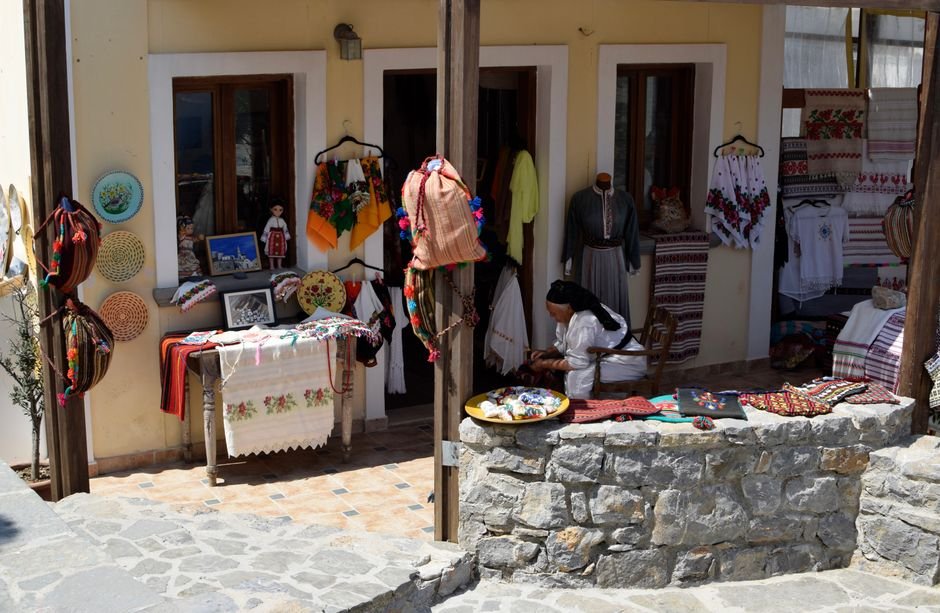
Artisan and craft store
Made-to-order items, personalisation fields, lead-time messaging and careful photography on mobile.
Made to order · Personalisation · Mobile

Wholesale and trade store
Role-based pricing, minimum order quantities, quick reorder lists and account-based checkout.
Role pricing · Reorder · Accounts

Food and grocery ordering
Delivery area checks, time slots, stock by location and repeat-order shortcuts.
Slots · Pincodes · Stock

Courses and digital products
Downloads, course access, memberships and drip content sold alongside physical products.
Memberships · Downloads · Access

Fashion and lifestyle store
Size and colour variants, lookbooks, returns and exchange flows, and seasonal merchandising.
Variants · Returns · Merchandising

Health and wellness shop
Regulated-product care, consultation bookings, repeat prescriptions-style reorders and privacy-first data handling.
Bookings · Reorders · Privacy

Service business with a shop
Quotes, deposits, booking and a small catalogue connected to a CRM.
Quotes · Deposits · CRM
These are the kinds of projects we take on; we share relevant examples during a call.
How we work with Bengaluru businesses
Sigmato is based in Bengaluru, with teams in the UK as well. We meet clients in person where it helps and otherwise on video, and we are used to working with businesses in Indiranagar, Koramangala, HSR Layout, Whitefield, Electronic City and Jayanagar. See our local guides for Koramangala, Indiranagar and Whitefield.
You have a shared staging site from the first week, regular review calls, and a written list of what is in scope. The code, hosting account, domain and payment accounts stay in your name. After launch we can keep looking after the store, or hand it to your in-house team with documentation.
Related reading: web design in Bangalore, website design in Bangalore, custom website design, custom website development, WordPress website development cost, e-commerce conversion rate optimization and B2B e-commerce. When you are ready, contact us.
Frequently asked questions
Is WooCommerce a good choice for a store in Bangalore?
It is a good choice when you want ownership of your code and data, strong content marketing, or custom product and pricing logic. It needs more care than a hosted platform, so we also look at your team and upkeep appetite before recommending it.
WooCommerce or Shopify: which should I pick?
Pick WooCommerce for flexibility, content depth and ownership. Pick Shopify for the least operational work and a standard checkout. We build on both and explain the trade-offs for your catalogue in a discovery call, instead of defaulting to one.
Can WooCommerce handle GST and Indian payments?
Yes. Tax classes, GST-aware display and invoices can be configured, and Indian payment gateways support UPI, cards, net banking and wallets. Your tax advisor should confirm the final tax treatment, and we test failed and refunded payments before launch.
Why is my WooCommerce store slow?
The usual causes are a heavy theme, too many plugins, large images, weak hosting and uncached database queries. We audit these in order, fix the biggest ones first and measure on mobile, so improvements are visible to real customers, not only to test tools.
Should I use plugins or custom development?
Use a maintained plugin for common features that do one job well. Use custom code when the behaviour is central to your business or when plugins would conflict or add weight. We keep custom code in a small plugin under version control.
Can you migrate my Shopify or older store to WooCommerce?
Yes. We map products, variants, customers, orders and URLs, set up redirects, and test the result on staging before go-live. Some data, such as reviews or complex pricing rules, may need rebuilding, and we flag that during planning.
How do you keep a WooCommerce store secure?
We combine least-privilege access, tested updates on staging, hardening, off-server backups and a checkout that leaves card handling to the payment gateway. We follow OWASP guidance and can provide ongoing monitoring under a maintenance arrangement.
Do I own the store after launch?
Yes. The code, hosting account, domain and payment accounts are set up in your name, and we document the setup. You can keep working with us, move to another team or manage it in-house without a platform lock-in.
How long does a WooCommerce build take?
It depends on catalogue size, integrations and custom features. A focused store commonly takes some weeks, and a store with ERP sync or custom workflows takes longer. This is general industry guidance, and we give a plan after discovery.
What does a WooCommerce project cost?
Cost depends on design depth, catalogue complexity, integrations, custom features, migration scope and ongoing support. We do not quote blind. After a discovery call we send a scoped estimate and, if useful, a phased plan so you can start smaller.
Plan your WooCommerce store
Tell us about your catalogue and goals, and we will suggest a sensible platform, scope and first phase.