
Web Development Company in Banashankari, Bangalore: Websites for Neighbourhood Businesses
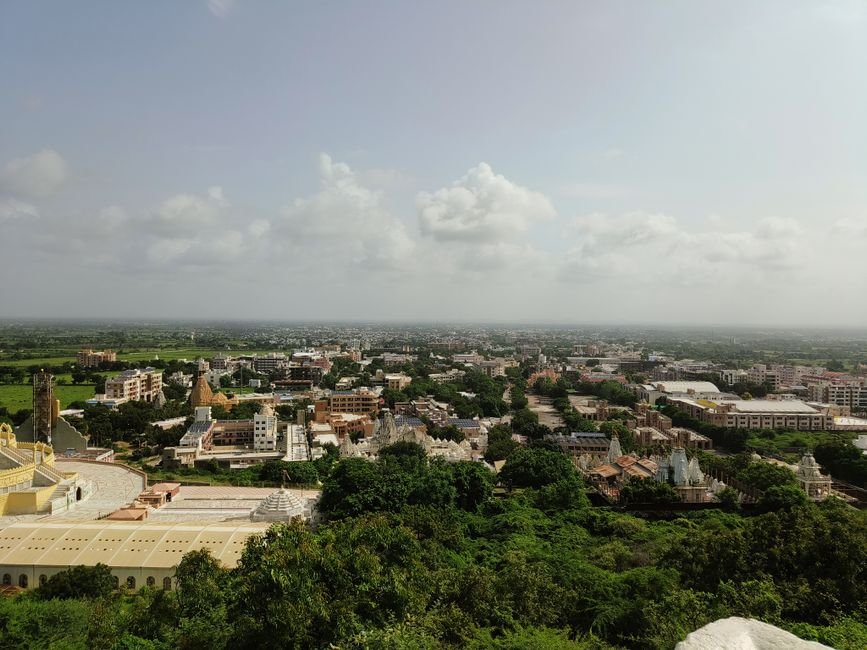
Banashankari is a busy residential and commercial area in south Bangalore, with temples, markets, clinics, tuition centres and many family-run shops.
Banashankari as a place to do business
Banashankari in south Bangalore is built around its temple, the busy stretches of Kanakapura Road and the markets, bakeries, sweet shops, tuition centres and clinics that surround the residential stages. It borders Jayanagar, Basavanagudi, JP Nagar and Uttarahalli, and the Metro Green Line has made it easier to reach.
Most businesses here are family-run or owner-managed and depend on repeat customers who live a few streets away. A web development company in Banashankari should respect that. The goal is not a showy site, but a dependable one that brings in neighbours, answers questions and makes the shop easier to deal with.
What a neighbourhood business website should do
For a local business, a website has a short list of jobs: confirm you exist and are open, show what you sell or do, prove that you are trusted, and make contact effortless. Everything else is secondary.
Put the phone number, WhatsApp button, address, map link and opening hours at the top of the mobile page. Add a few clear photographs of your premises and work. Describe each service in plain words with starting prices or typical ranges where possible. Many local customers will decide within seconds, so make those seconds count.
Clinics, tuition centres and service providers
Doctors, dentists, physiotherapists, tutors and home-service providers have a common need: appointment or enquiry handling. A simple booking or callback form, with a confirmation message and a notification to your phone, is often enough.
Tuition and coaching centres should show batch timings, subjects, faculty background, results presented honestly and a way to ask about fees. Healthcare practices should list qualifications, timings and consultation types, and avoid claims that cannot be substantiated. Keep patient or student information out of public view and out of casual email threads.
Shops, sweet makers and food businesses
Retail and food businesses can start with a digital catalogue: categories, photographs, weights or sizes, and prices, with a WhatsApp order button that pre-fills the item name. This costs far less than a full online store and matches how many customers already order.
When volume grows, add online payments, delivery slots and a basket. Our Shopify store development guide describes that next step. For shops that sell only locally, define a delivery area by pin code or locality so customers know before they order.
Festival and seasonal campaigns
Businesses in this part of the city see clear seasonal peaks: Ugadi, Ganesha festival, Dasara, Deepavali and wedding months. Your website should let staff change the home page banner, add an offer page and switch off expired promotions without a developer.
Plan a calendar in advance. Prepare banner sizes, offer wording and a simple landing page for each festival, and share them over WhatsApp and your business profile. Remove old offers promptly; nothing damages trust like a Deepavali sale still showing in March.
Local SEO for Banashankari and the surrounding stages
People search by locality: Banashankari 2nd Stage, 3rd Stage, Kathriguppe, Padmanabhanagar, Uttarahalli, near the temple. Mention the areas you serve in natural sentences on your pages rather than in long lists.
Claim and complete your Google Business Profile, choose accurate categories, add photos and respond to reviews. Keep your name, address and number the same everywhere. Create a separate page for each main service so each can rank for its own search. Speed is part of this too; see our Core Web Vitals guide.
Choosing WordPress, Shopify or something simpler
For most local businesses, WordPress with a well-built, lightweight theme is a flexible and affordable choice, and it is easy for staff to edit. Shopify suits businesses focused on selling products online. A very small business may only need a single well-made page and a Business Profile.
Cost depends on pages, features, content and design effort; our WordPress development cost guide lists the factors. Whatever you pick, register the domain in your own name and keep hosting login details with you.
Keeping the site safe and current
Small business sites are rarely attacked by someone targeting them personally; they are compromised through outdated plugins and weak passwords. Automatic backups, regular updates, a security plugin set up properly and two-factor login for admin users cover most risk. Our WordPress security checklist lists the steps.
Agree who handles this. A named support contact and a monthly maintenance routine cost little compared with the cost of a hacked site during a festival week.
Mistakes to avoid
Common errors include buying a template and leaving the placeholder text, using photographs taken from other websites, hiding the phone number behind a form, forgetting the map pin, and never updating hours. Another is paying for a large site when a smaller one would serve customers just as well.
Ask any developer to show you the site on a phone before you approve it. Insist that you can edit text, prices and images yourself. Check enquiries daily during launch weeks, and ask a few customers to try the site and tell you where they got stuck.
Photographs, reviews and the human touch
Local customers like to see who they are dealing with. Use real photographs of your shop front, your team and your work, taken in good light on a decent phone if a photographer is not affordable. Introduce the owner or practitioner in a few honest sentences, including how long the business has served the area.
Display genuine customer comments with permission, and link to your profile reviews. Answer questions you hear repeatedly at the counter, such as parking, delivery, payment methods and appointment rules, in a short FAQ section. These small details reduce phone calls and make the website feel like an extension of the shop rather than a brochure.
Finally, think about the people who will use the site beyond your core customers. Senior residents may prefer a phone call, so keep the number large and tappable. Younger families may want to book at night, so a simple form that records requests for the morning is valuable. Designing for both groups keeps the site useful to the whole neighbourhood.
Working with Sigmato
Sigmato is a software and mobile app development company with teams in Bengaluru and the UK. We build websites, online stores and custom web tools for small and growing businesses.
If you are searching for a web development company in Banashankari, tell us what you sell, who your customers are and how they contact you today. We will recommend a proportionate first version, explain the ongoing costs honestly and set out support terms in writing.
Frequently Asked Questions
What is the minimum a local business needs on its website?
Your business name, what you offer, address with map, phone and WhatsApp contact, opening hours, a few real photographs and customer feedback. A short enquiry form helps too. Keep it simple, accurate and mobile-friendly.
Can I take orders on WhatsApp through my website?
Yes. A catalogue page with order buttons that open WhatsApp with the product name pre-filled is common and inexpensive. You can add online payments and a basket later as volumes grow.
How do I appear in searches for Banashankari?
Verify your Google Business Profile, keep details consistent, mention the areas you serve on your pages, create a page per service and collect genuine reviews. Fast mobile loading also helps your ranking.
Will I be able to edit the website myself?
You should be. Choose a platform such as WordPress or Shopify with a simple editor, ask for a short training session, and make sure you hold the admin login. Staff can then change offers and hours quickly.
How often does a small business website need maintenance?
Plan for monthly checks covering updates, backups, broken links and forms, plus a quick review after any change. Automatic backups and security updates reduce risk between checks.
Related reading
- Website Development Company in Bangalore: How to Choose the Right One
- Website Development Cost in Bangalore: What You Actually Pay For
- Website Development Company in Rajajinagar, Bangalore: Traders, Manufacturers and Retailers
- Website Development Company in Hennur, Bangalore: Serving a Fast-Growing Neighbourhood
- Website designing company in Bangalore
Planning a website and want a straight answer on scope, timeline and cost? Talk to the Sigmato team and we will review your requirements and suggest the simplest way to get live.
