
Redux for state management in React

Redux is a predictable state container for JavaScript applications, and it is commonly used for state management in React applications. It provides a central store to manage the state of your application and a set of rules to follow for updating the state in a predictable way. Here is an overview of the key concepts and how to use Redux in a React application:
Redux Concepts:
-
Store:
- The store is the single source of truth for the state in a Redux application.
- It holds the entire state tree of your application.
-
Actions:
- Actions are plain JavaScript objects that represent events in your application.
- They describe what happened but don’t specify how the application’s state changes.
-
Reducers:
- Reducers are functions that specify how the application’s state changes in response to actions.
- They take the current state and an action as arguments, and return the new state.
-
Action Creators:
- Action creators are functions that create and return action objects.
- They are typically used to encapsulate the logic for creating actions.
-
Middleware:
- Middleware provides an extension point between dispatching an action and the moment it reaches the reducer.
- It is often used for tasks like asynchronous actions.
Integrating Redux with React:
-
Installation:
- Install Redux and React-Redux using npm or yarn:

2. Creating a Store:
- Create a Redux store and pass your root reducer to it.

3. Creating Reducers:
- Write reducers to manage different slices of your application state.

4. Connecting Redux to React:
- Use the
Providercomponent fromreact-reduxto make the Redux store available to the entire React application.

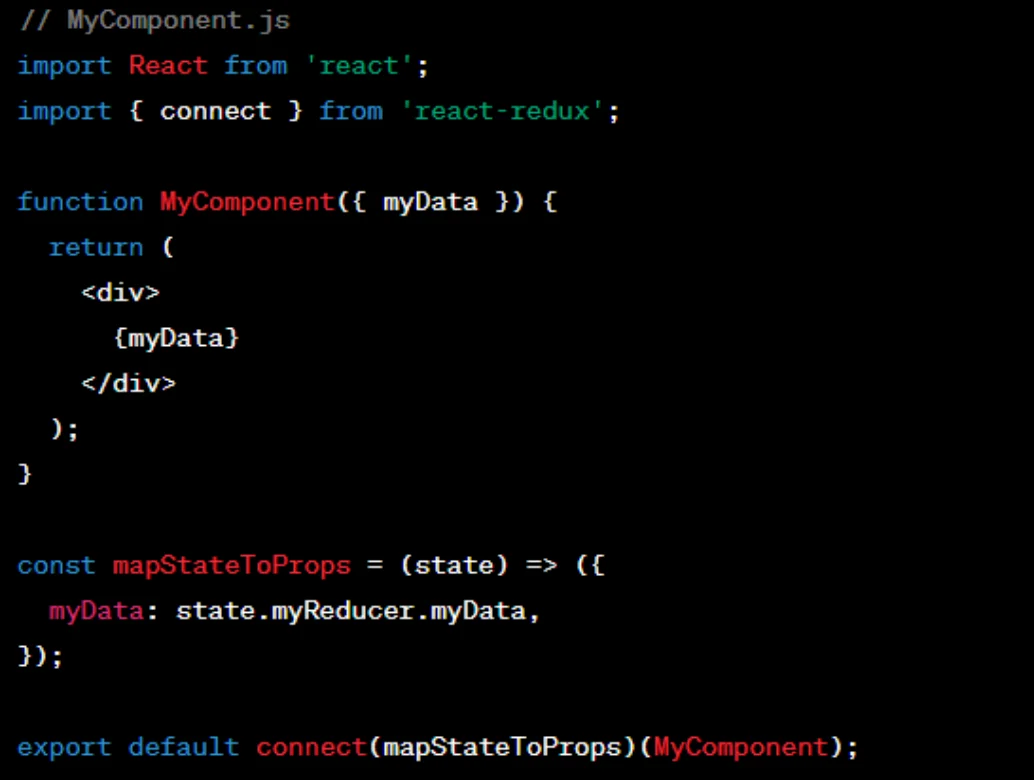
5. Accessing State in Components:
- Use the
connectfunction fromreact-reduxto connect your React components to the Redux store.
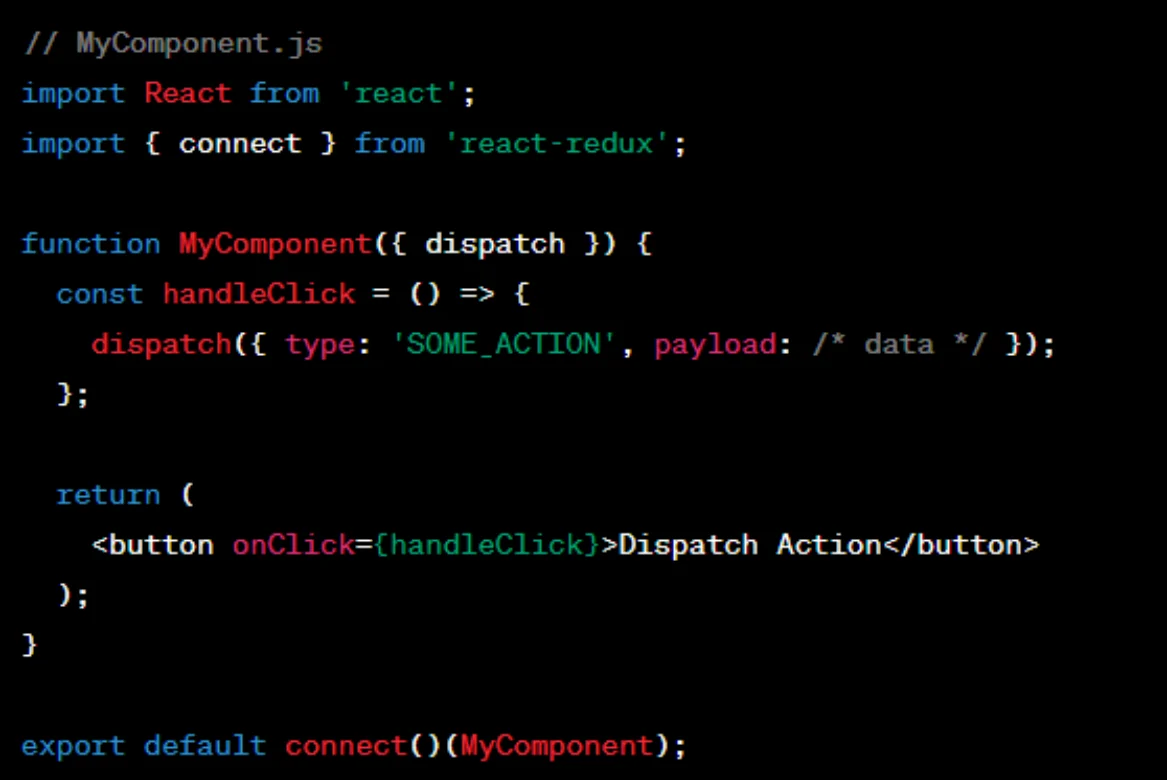
6. Dispatching Actions:
- Use the
dispatchfunction provided byreact-reduxto dispatch actions.
Redux provides a scalable way to manage state in larger React applications. It can add some boilerplate code, but a predictable state container and centralised state management often outweigh this cost, especially in complex applications.
