
React Forms and Form Validation

Handling forms and form validation are common tasks in React applications. React provides a flexible, controlled way of working with forms. Here is a guide to React forms and form validation.
Basic Form Handling
-
Controlled Components:
- Use controlled components, where form elements such as
input,textareaandselectkeep their state in the React component’s state.
- Use controlled components, where form elements such as

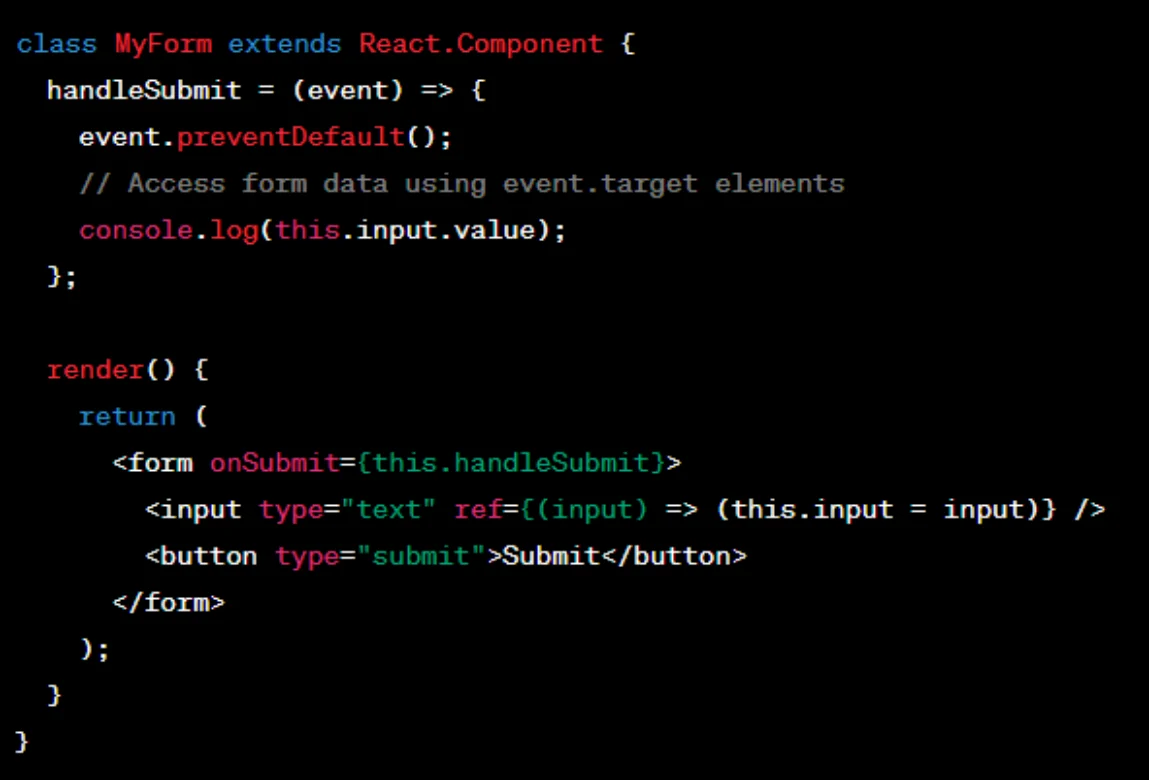
2. Uncontrolled Components:
- Alternatively, you can use uncontrolled components, where the DOM handles the form element state.
Form Validation
-
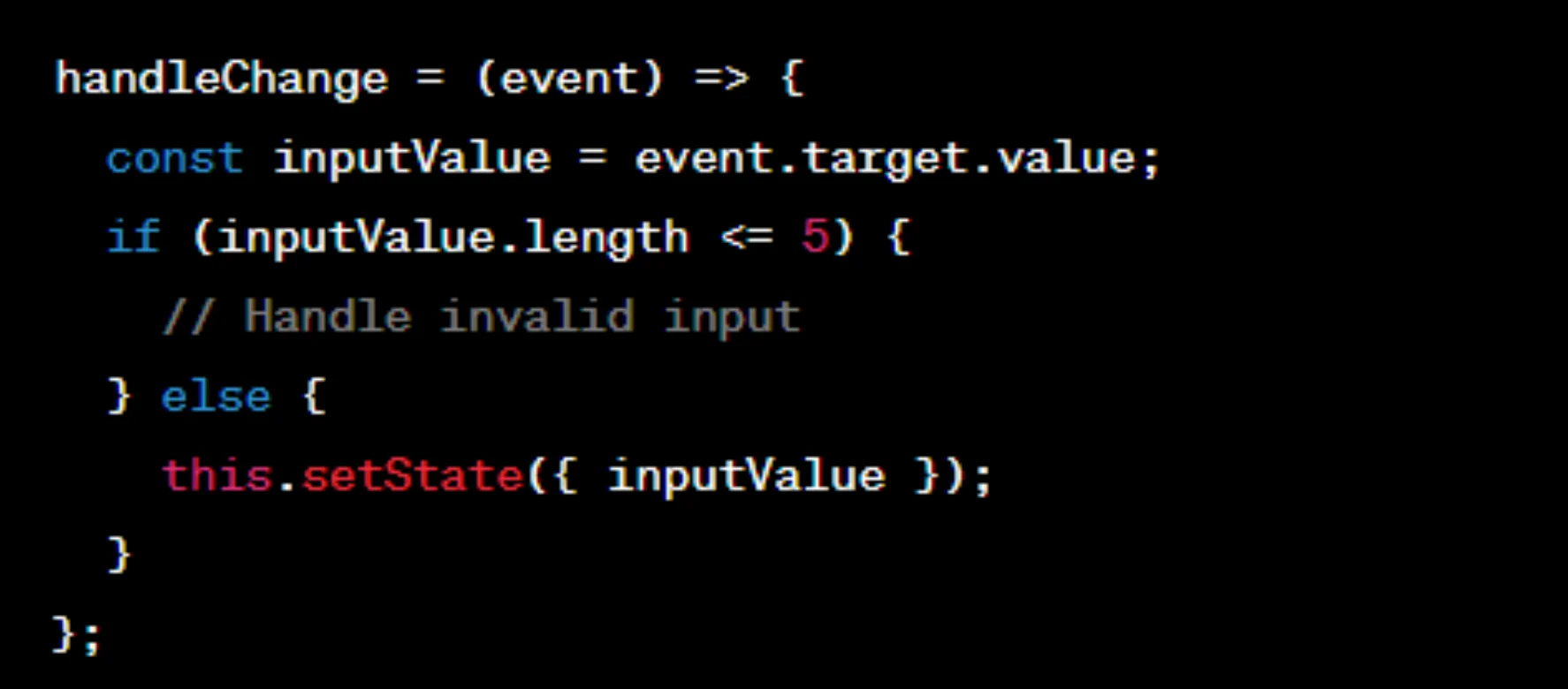
Validation in Controlled Components:
- Add validation checks in the
handleChangemethod.
- Add validation checks in the
2. Using Libraries for Validation:
- For more complex forms, you can use validation libraries such as
formik,yuporreact-hook-form.

3. Conditional Rendering Based on Validation:
- Conditionally render error messages or styles based on validation results.

4. Formik for Form State Management:
formikis a popular library that simplifies form state management, validation and submission.

Adjust the approach to the complexity of your form and the requirements of your application, since form handling and validation vary by use case.
