
Voice and Speech Recognition in Mobile Apps

Voice is now a practical input method rather than a novelty. Speech-to-text engines are accurate enough for dictation, search and hands-free commands, and many run directly on the phone. If you are planning a voice recognition mobile app, or adding voice to an existing one, the key decisions are which engine to use, where audio is processed and how to design for the moments when recognition gets it wrong.
This guide covers those decisions for product owners and CTOs, drawing on how our natural language processing team approaches speech projects.
What Voice Recognition Can Do in a Mobile App
Voice features fall into five broad categories, each with different technical needs. Knowing which one you are building narrows the engine choice quickly.
- Dictation and transcription: turning speech into text for notes, messages, forms or meeting records. Accuracy and punctuation matter most.
- Voice commands: short phrases such as “start workout” or “next step” mapped to app actions. A limited vocabulary makes these fast and reliable.
- Voice search: spoken queries in e-commerce, travel or content apps. The transcript is passed to search, often with a language model to interpret intent.
- Conversational assistants: speech in, speech out, with an LLM in the middle. Latency is the main challenge.
- Speaker verification: using a voiceprint to confirm identity. This is biometric processing and carries the strictest privacy rules.
Real examples include clinicians dictating notes into a healthcare app, warehouse staff confirming picks hands-free, field engineers filling inspection forms by voice, and language-learning apps scoring pronunciation.
On-Device vs Cloud Speech Recognition
On-device recognition is faster, works offline and keeps audio on the phone; cloud recognition is generally more accurate on long, noisy or specialized speech and supports more languages. Many production apps use both.
| Factor | On-device | Cloud API |
|---|---|---|
| Latency | Very low; no network round trip | Depends on connection; streaming helps |
| Offline use | Yes | No |
| Privacy | Audio can stay on the device | Audio sent to a provider; needs contracts and disclosure |
| Accuracy on jargon and accents | Good for general speech; limited customization | Usually stronger; custom vocabularies and models available |
| Running cost | No per-minute fee | Billed per minute or second of audio |
| Languages | Varies by OS and device | Broad coverage |
Built-in platform engines
On iOS, Apple’s Speech framework provides speech recognition and can be configured to require on-device processing for supported languages. On Android, the SpeechRecognizer API offers recognition through the system service, and recent Android versions include an on-device option. Both are free to use and a sensible first step for commands and short dictation. Cross-platform apps can reach them through community plugins for Flutter and React Native.
Cloud speech APIs
Google Cloud Speech-to-Text, Microsoft Azure AI Speech and Amazon Transcribe are the most widely used cloud services, alongside specialist providers. They offer streaming transcription, speaker separation, punctuation, custom vocabulary and, in some cases, domain models for medical or call-center audio. Billing is per unit of audio, so model your expected minutes per user before committing.
Open-source models
Open-weight models such as OpenAI’s Whisper family can run on your own servers, and smaller variants can run on recent phones. This avoids per-minute fees and keeps audio in your environment, but you take on hosting, optimization and updates. It suits high-volume apps or strict data residency needs.
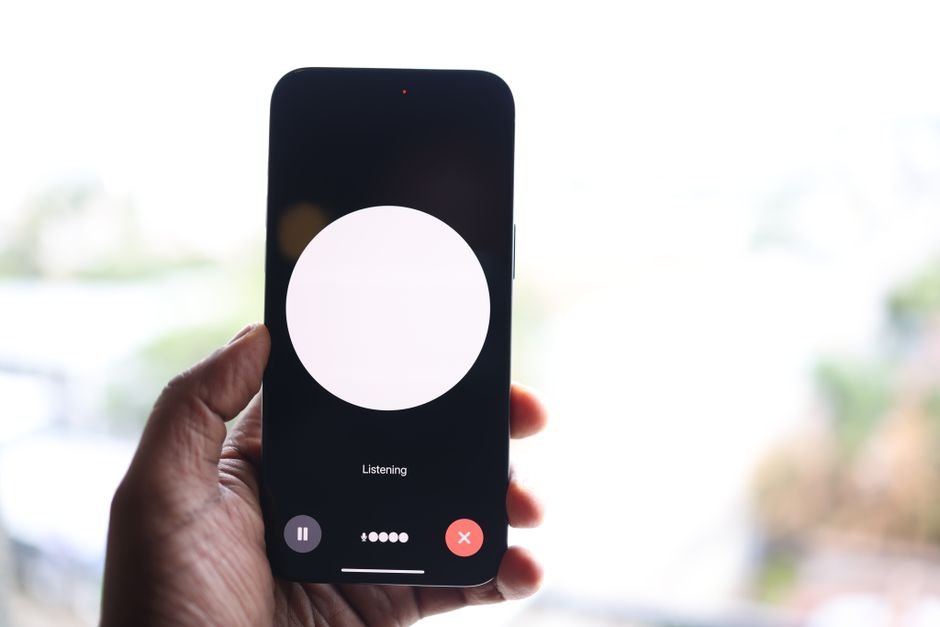
Designing a Voice Recognition Mobile App That Users Trust
Good voice UX assumes recognition will sometimes fail and makes recovery easy. The engine is only half the product; the interaction design decides whether people keep using it.
- Show what was heard. Display the live transcript so users can catch errors before an action runs.
- Confirm risky actions. “Transfer $500 to John?” should always need a tap or a spoken yes.
- Offer a keyboard fallback. Voice should never be the only way to complete a task. This also supports accessibility goals in the W3C Web Content Accessibility Guidelines.
- Make listening state obvious. A clear microphone indicator and haptic cue reduce confusion and reassure users about privacy.
- Handle noise and silence. Detect when no speech is present and stop listening rather than recording indefinitely.
Accuracy: What Affects It and How to Improve It
Recognition accuracy depends mostly on audio quality, vocabulary and accent coverage. You can improve all three without training a model from scratch.
Start by recording a test set of real users in real conditions, such as a noisy shop floor or a moving vehicle, and measure word error rate across engines. Then add custom vocabulary or phrase hints for product names, medical terms or local place names; most cloud APIs support this. For command-style features, constrain the grammar so the engine chooses between expected phrases. Finally, pass transcripts through a language model or NLP layer that can interpret slightly wrong words in context. Our guide to integrating LLM APIs explains how to add that layer cleanly.
How to Add Voice to an Existing App: Five Steps
Adding voice works best as a small, measured experiment on one screen before rolling it out across the app.
- Pick one task where hands or eyes are busy. Logging a meal, searching a catalog while driving or completing a checklist with gloves on.
- Collect 50–100 real recordings. Use your actual users, devices and environments, with their consent.
- Benchmark engines. Compare the built-in platform engine with one or two cloud options on accuracy, latency and cost per user.
- Prototype the interaction. Test the listening state, live transcript and correction flow with five to ten users before polishing.
- Release behind a feature flag. Track how often voice is used, how often users edit the transcript and whether task completion improves.
If the feature needs to keep working in basements, rural areas or aircraft, design the offline path from the start; our guide to offline-first mobile apps explains how to queue and sync data reliably.
Privacy, Permissions and Compliance
Voice recordings are personal data, and voiceprints used to identify someone are biometric data. Treat audio with at least the same care as text messages, and more care where identification is involved.
Both iOS and Android require explicit microphone permission, and Apple also requires a purpose string explaining speech recognition use. Explain in plain words why you need the microphone and request permission only when the user first taps the voice button. Under the GDPR, biometric data used for unique identification is special category data with stricter conditions. Decide whether you store audio at all: in many apps only the transcript is needed. Our AI data privacy checklist covers vendor terms, retention and deletion in more depth.
What Voice Features Cost to Build
Adding voice to an existing app typically costs $5,000 to $60,000 (indicative, USD), depending on the feature type. The final quote depends on scope, languages and accuracy targets.
- Voice commands or simple dictation using platform engines: about $5,000–$15,000.
- Cloud transcription with custom vocabulary, editing and storage: about $15,000–$35,000.
- Voice assistant with LLM, text-to-speech and streaming: about $30,000–$60,000+.
Running costs range from nothing for on-device engines to per-minute cloud fees that scale with usage. A full new mobile app with voice as one feature is priced as a complete product.
Frequently Asked Questions
Can speech recognition work offline on a phone?
Yes. Both iOS and recent Android versions support on-device recognition for many languages, and compact open-source models can also run locally. Offline accuracy is usually good for general speech but may lag cloud engines on specialized terms.
Which speech-to-text engine is the most accurate?
It depends on your language, accent mix, audio conditions and vocabulary. The only reliable way to choose is to test two or three engines on recordings from your real users and compare word error rates.
Can I add voice to a Flutter or React Native app?
Yes. Community plugins expose the native iOS and Android speech APIs to both frameworks, and cloud APIs can be called from shared code. Advanced features such as custom audio processing may need some native code.
Does a voice recognition mobile app need to store recordings?
Usually not. Most apps only need the transcript. Storing audio increases privacy obligations, so keep it only when there is a clear reason, such as quality review, and set a short retention period.
Add Voice to Your App with Sigmato
Sigmato builds AI-powered mobile and web applications from Bengaluru and the UK, including speech, NLP and assistant features. Tell us about your users and environment, and we will recommend an engine and approach that fits your accuracy, privacy and budget needs.
Sources and References
